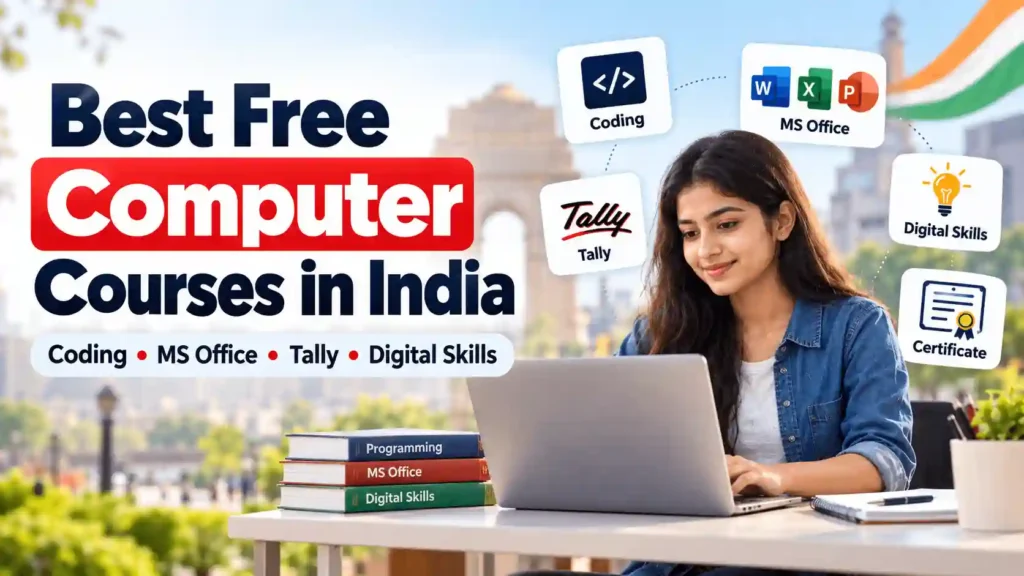
You do not need an expensive institute to learn computer basics, programming or data analysis. Several free computer courses in India provide structured lessons and practical exercises that you can complete online. However, free learning does not always mean a free certificate.
The right option depends on your goal: everyday office work, coding, artificial intelligence or data reporting. Here are five specific courses, including what they teach, how to enrol, how long they take and what certification costs.
Best Free Computer Courses in India: Quick Comparison
| Course | Duration | Learning Cost | Certificate or Exam |
| NIELIT CCC | 90-hour curriculum; self-paced online study | Free | Exam: ₹500 plus applicable charges |
| NPTEL – The Joy of Computing Using Python | 12 weeks | Free | Optional exam: usually ₹1,000 |
| freeCodeCamp – Responsive Web Design | Approximately 300 hours | Free | Free verified certification |
| IBM SkillsBuild – Getting Started with Generative AI | 3–10 hours | Free | Free digital credential on meeting requirements |
| Microsoft Learn – Power BI | 8 hours 12 minutes | Free | Free learning; separate professional exams may cost |
Important: Free study material, a completion badge, an assessed certificate and a qualification accepted for recruitment are not necessarily the same thing.
1. NIELIT CCC: Best for Basic Computer and Office Skills
The National Institute of Electronics and Information Technology (NIELIT) offers free self-paced CCC learning through its Virtual Academy.
What you learn: Computer fundamentals, operating systems, document creation, spreadsheets, presentations, internet use, email and digital services.
For example, you can practise preparing a resume, calculating expenses in a spreadsheet and sending documents by email.
Duration and eligibility: The standard CCC curriculum is 90 hours, while online study is self-paced. NIELIT allows direct candidates to register for its CCC examination without a minimum educational qualification.
How to Enrol in NIELIT CCC
- Visit NIELIT Virtual Academy.
- Select CCC – Self Paced Learning (FREE).
- Register and log in to access the lessons.
- For formal certification, apply separately through the NIELIT student portal.
Certificate cost: Free lessons do not automatically award the formal CCC certificate. NIELIT lists an examination fee of ₹500, with applicable taxes or payment charges. Optional classroom training may cost extra.
Why choose it? A practical starting point for beginners who need basic computer literacy for everyday or office work.
2. NPTEL Python: Best for Programming Beginners
NPTEL’s The Joy of Computing Using Python, taught by IIT Ropar faculty, introduces programming through practical examples.
What you learn: Variables, loops, conditions, lists and problem-solving using Python. Exercises include calculators, simple games and text-processing tasks.
Duration and eligibility: The course typically runs for 12 weeks and includes approximately 30 hours of lecture content. It is designed for interested learners with a school-level educational background.
How to Enrol in NPTEL Python
- Visit NPTEL.
- Search the current course catalogue for The Joy of Computing Using Python.
- Open the course page and join when enrolment is available.
- Complete lectures and weekly assignments.
- Register separately for the certification examination if required.
Courses listed in an archive may not be accepting new certification registrations.
Certificate cost: Learning is free. The optional supervised certification examination generally costs ₹1,000, and learners must satisfy the assignment and examination requirements.
Why choose it? Suitable for students who want to explore programming before committing to longer technical training.
For more details about technical learning platforms, read News Vocal’s guide to government free online courses.
3. freeCodeCamp: Best for Learning Website Development
If you want to build websites, freeCodeCamp’s Responsive Web Design Certification is a useful option.
What you learn: HTML, CSS, accessibility, responsive layouts, Flexbox and CSS Grid. You practise building webpages that work across different screen sizes.
Duration: The comprehensive curriculum involves hundreds of hours of exercises and projects. Beginners can plan for approximately 300 hours, depending on their learning pace.
How to Enrol in freeCodeCamp
- Visit freeCodeCamp.
- Create a free account.
- Select the current Responsive Web Design Certification.
- Complete interactive lessons and practical projects.
- Finish the required certification projects and examination.
Certificate cost: Learning and the verified certification are free. The newer certification requires five projects and an exam, which currently needs a desktop or laptop.
Why choose it? You develop actual websites that can be included in a portfolio, rather than relying only on a certificate.
4. IBM SkillsBuild: Best for Understanding Generative AI
IBM SkillsBuild provides introductory technology courses, including Getting Started with Generative AI.
What you learn: How generative AI creates text and images, the basics of large language models, responsible AI use and practical applications.
Duration: IBM places this beginner learning path in the 3–10-hour range.
How to Enrol in IBM SkillsBuild
- Visit the IBM SkillsBuild course catalogue.
- Create a free account.
- Search for Getting Started with Generative AI.
- Complete the required learning modules and assessments.
Certificate cost: The learning path offers a digital credential. Eligible learners can earn it free after meeting the stated requirements.
Why choose it? A manageable introduction for students and professionals interested in understanding and using AI responsibly.
5. Microsoft Learn Power BI: Best for Data Reporting
Microsoft Learn’s Prepare and Visualize Data with Microsoft Power BI is designed for beginners interested in data reporting.
What you learn: Connecting to datasets, cleaning and transforming information, and creating interactive visualisations and reports.
A useful practice project is converting a simple sales spreadsheet into a dashboard.
Duration: The learning path contains seven modules with an estimated duration of 8 hours and 12 minutes.
How to Enrol in Microsoft Learn
- Open the Power BI learning path.
- Sign in with a Microsoft account to track progress.
- Follow the learning modules and complete the exercises.
- Practise using sample datasets.
Certificate cost: The lessons are free. Completing them is not equivalent to earning a Microsoft professional certification, which may require a separately paid examination.
Why choose it? Useful for learners interested in reporting, business analytics and data visualisation. Basic familiarity with data concepts helps.
Which Free Computer Course Should You Choose?
Choose according to your learning goal rather than the certificate’s popularity.
- Basic computer and office skills: NIELIT CCC.
- Programming fundamentals: NPTEL Python.
- Website development: freeCodeCamp.
- Artificial intelligence fundamentals: IBM SkillsBuild.
- Reporting and dashboards: Microsoft Learn Power BI.
You can also explore Skill India Digital Hub for other job-oriented digital courses. Check each programme’s duration, enrolment status, and certification conditions individually.
Before starting, verify the course language, prerequisites, equipment requirements, and availability. Try completing at least one practical project instead of only watching videos.
Are Free Computer Certificates Useful for Jobs?
Free certificates can demonstrate learning, but their value depends on the employer and job requirements.
For example, a freeCodeCamp credential demonstrates completion of web-development assessments, while completing Microsoft Learn modules is different from passing a Microsoft certification examination.
Government recruitment requirements can be particularly specific. If a notification requires NIELIT CCC or an explicitly recognised equivalent, another platform’s completion badge may not qualify.
Always check the official recruitment notification before paying for a certificate solely for job eligibility.
Frequently Asked Questions
Are Free Computer Courses Really Free?
The courses discussed here offer free learning. However, NIELIT and NPTEL charge for their formal certification examinations. Check the latest fees before applying.
Can Class 12 Students Join These Courses?
Yes. Many beginner courses are open to students and freshers. NIELIT CCC has no minimum educational qualification for direct examination applicants, while other courses may recommend foundational knowledge.
Does a Free Computer Certificate Guarantee a Job?
No. Employers may consider practical abilities, projects, qualifications and experience. Certificates can support applications but cannot guarantee employment.
Conclusion
Free computer courses in India can help you build useful skills without expensive training. Whether you choose computer basics, coding, AI or data analysis, focus on what you will learn and practise.
Before enrolling, verify the duration, certificate requirements, and any examination fees. The right course should help you develop practical skills, not simply collect another certificate.