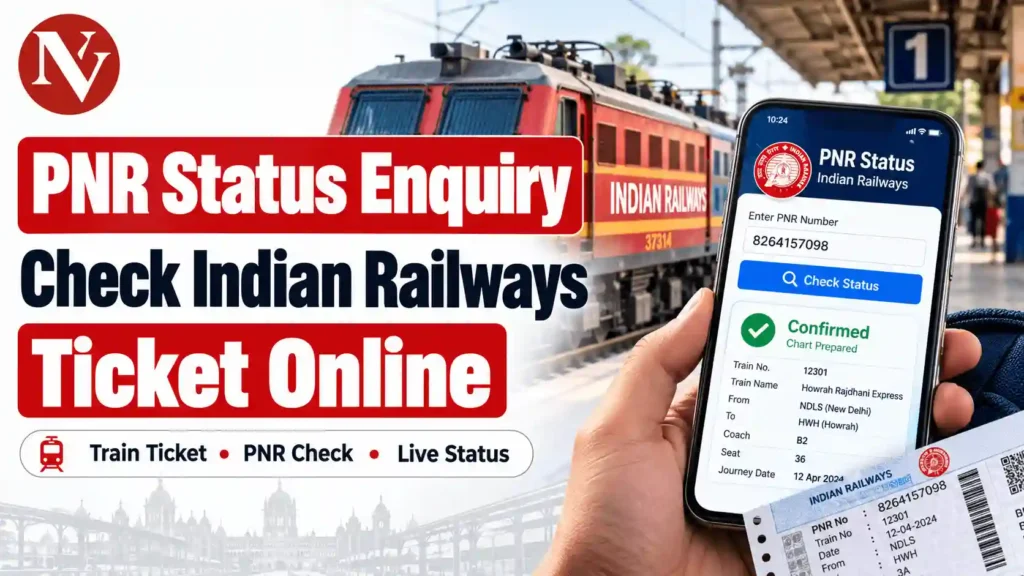
Booked a train ticket but still waiting for confirmation? Whether your ticket shows WL 25, RAC 10, or CNF, checking your reservation status before travelling is important.
Indian Railways allows passengers to check their ticket status online using a 10-digit PNR number. You can find out whether your ticket is confirmed, still waitlisted or has moved to RAC without visiting a railway station.
For a quick PNR status enquiry, visit the official Indian Railways PNR enquiry website.
Here’s how to check your train ticket status and understand what the different PNR codes mean.
What Is a PNR Number in Indian Railways?
PNR stands for Passenger Name Record. It is a unique 10-digit number generated when you make a railway reservation.
This number helps passengers access important booking information, including train details, journey date, reservation status, and allotted coach or berth.
Where Can You Find Your 10-Digit PNR Number?
If you have a printed railway reservation ticket, the PNR number is usually available in the top-left corner.
For tickets booked through IRCTC, you can find it in your e-ticket, booking confirmation message, or email.
Remember that your PNR number and train number are different. A train number identifies the train, while a PNR identifies your particular reservation.
How to Check PNR Status Online on Indian Railways
Checking your Indian Railways PNR status is simple and usually takes less than a minute if the website is working normally.
Follow these steps:
- Open the Indian Railways PNR Status Enquiry portal.
- Locate the box labelled “Enter PNR No.”
- Enter the 10-digit PNR number from your ticket.
- Submit your enquiry using the option displayed on the website.
- Check the booking status and current status shown on the screen.
The enquiry result may display your train name, train number, boarding date, journey details, travel class, and reservation status.
If your ticket has been confirmed, coach and berth information may also be available.
Important: Your ticket status can change before the final reservation chart is prepared. If your ticket is waitlisted or RAC, check again closer to your departure time.
The official enquiry service is provided by Indian Railways. News Vocal does not collect PNR numbers or operate a separate ticket-status checking service.
How to Check PNR Status Through IRCTC
If you booked your ticket online, you can also find your reservation information through your IRCTC account.
Visit the official IRCTC website and log in using your registered credentials.
Open the “My Account” section, go to “My Transactions” and look for “Booked Ticket History”.
Select your ticket to view the booking information, including its PNR number and available status details.
You can also use IRCTC’s official mobile application to access your booked tickets.
However, if you only want to check your PNR status without logging in, the Indian Railways enquiry portal is a convenient option.
What Do CNF, RAC, WL, GNWL and RLWL Mean?
After checking your PNR status, you may see different abbreviations on the screen.
Here are some commonly used Indian Railways ticket-status codes:
| PNR Code | Meaning |
| CNF | Confirmed reservation |
| RAC | Reservation Against Cancellation |
| WL | Waiting List |
| GNWL | General Waiting List |
| RLWL | Remote Location Waiting List |
| PQWL | Pooled Quota Waiting List |
| TQWL | Tatkal Quota Waiting List |
| CAN | Cancelled ticket |
What Is the Difference Between CNF, RAC and WL?
CNF: Your reservation is confirmed. Coach and berth details may become available after chart preparation if they have not already been allotted.
RAC: You are allowed to travel with the applicable RAC reservation and receive seating accommodation. A full berth may be allotted if one becomes available.
WL: Your ticket is on the waiting list. Confirmation depends on cancellations, available accommodation and railway allocation rules.
A lower waiting-list number may appear promising, but it does not guarantee confirmation.
Booking Status vs Current Status: What’s the Difference?
You may notice two different statuses while making a PNR enquiry.
Booking Status shows your reservation position when you originally booked the ticket.
Current Status shows the latest available reservation position.
For example:
| Booking Status | Current Status |
| WL 30 | RAC 8 |
This means your ticket was originally booked at waiting-list position 30 but has now moved to RAC position 8.
Your status may improve as other passengers cancel their reservations.
However, changes are possible until chart preparation, so always check the latest available information before travelling.
What Happens If Your Ticket Is Still Waitlisted After Chart Preparation?
This is one of the most important things passengers should understand.
According to IRCTC’s official waitlisted e-ticket rules, if all passengers on an e-ticket remain waitlisted after chart preparation, their names are removed from the reservation chart.
Such passengers are not permitted to board the train using that e-ticket.
IRCTC automatically cancels fully waitlisted e-tickets after chart preparation and arranges the applicable refund through the original payment channel.
However, tickets containing a combination of confirmed, RAC, and waitlisted passengers may follow different rules.
Counter tickets also have separate conditions.
If your reservation remains waitlisted, check the applicable ticket rules rather than assuming you can board the reserved coach.
Can You Check PNR Status Without Internet?
Yes. Passengers who do not have internet access can use the Indian Railways enquiry helpline.
Simply dial 139 from your mobile phone and follow the automated instructions for PNR enquiry.
The service provides railway information through an Interactive Voice Response System (IVRS).
According to the Ministry of Railways, the 139 helpline supports PNR enquiries, train arrival and departure details, and other passenger services.
Railways has also documented SMS-based enquiry facilities, although availability and charges should be checked before using them.
PNR Status vs Live Train Running Status
PNR status and live train running status are two different services.
PNR status tells you whether your ticket is confirmed, RAC, or waitlisted.
Live train running status tells you about the train’s movement, including available arrival, departure, and delay information.
If you want to know whether your train is running late, visit the National Train Enquiry System (NTES).
Frequently Asked Questions About PNR Status
-
Can I Check PNR Status Without an IRCTC Login?
Yes. You can check your ticket status through the official Indian Railways PNR enquiry website using your 10-digit PNR number. An IRCTC login is not required for this service.
-
How Do I Know If My Train Ticket Is Confirmed?
If your current PNR status shows CNF, your reservation is confirmed. Check the coach and berth details, particularly after chart preparation.
-
Does WL 10 Mean My Ticket Will Be Confirmed?
No. WL 10 means your reservation is at waiting-list position 10. It does not guarantee confirmation. Your final status depends on cancellations and seat availability.
-
When Should I Check My PNR Status?
You can check immediately after booking, again closer to your journey, and after chart preparation. Checking the final available status is particularly important for RAC and waitlisted tickets.
Conclusion
Checking your PNR status before boarding helps avoid confusion about ticket confirmation, coach allocation, and waiting-list rules.
Always use official Indian Railways or IRCTC services for reliable reservation information, especially when your journey date is approaching.
For more railway travel tips, helpful guides, and everyday updates, visit News Vocal.